Access to Cytric
Cytric is available if your company has signed a Cytric Addendum.
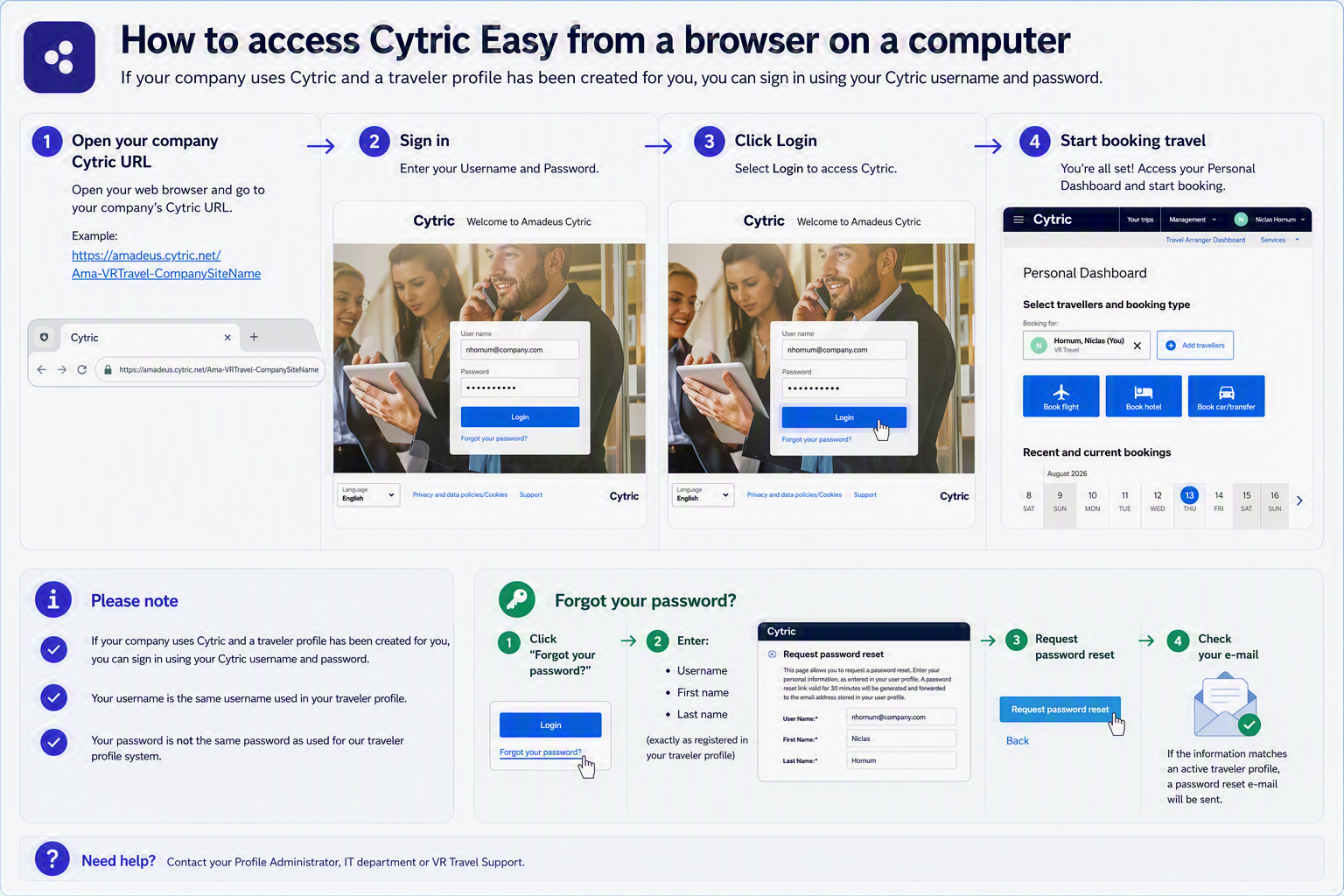
Access Cytric:
From a web browser on your computer
Using Cytric app on your mobile device
Need your PIN and Security Code for the Cytric app?
Follow the steps under ‘Need your PIN and Security Code’
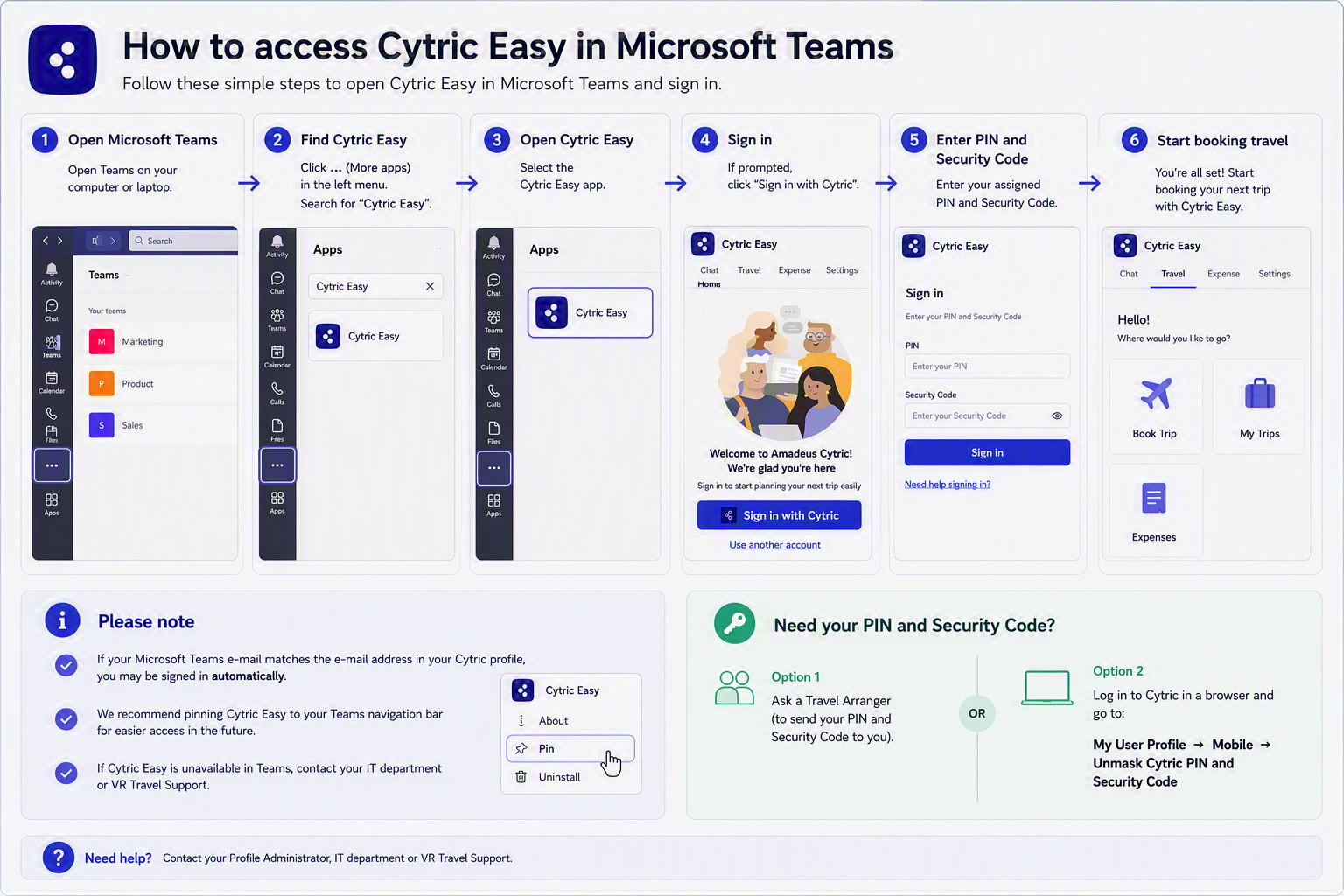
If your company uses Microsoft Teams, we offer access to Cytric through Microsoft Teams. This requires a separate agreement and installation of the Cytric app in Microsoft Teams by an IT administrator.
Access Cytric via Microsoft Teams (requires a separate agreement)
Via Microsoft Teams on a computer
Via Microsoft Teams on a mobile device
Need your PIN and Security Code for the Cytric app?
Follow the steps under ‘Need your PIN and Security Code’
Video overview
– 0:00 Log-in
– 0:18 Select travelers
– 2:10 Search flight
– 4:33 Select and filter flights
– 6:52 Select fare types and price
– 9:04 View other travel options
– 9:24 Add additional services
– 9:47 Select seating
– 11:02 Payment/Invoice details
– 11:47 Set booking on hold
– 12:49 My trips
– 13:26 Contact information
Download in Quick-Guide in PDF:
Cytric Quick-Guide (dansk)
Cytric Quick-Guide (english)
Bedre billetpriser igennem VR Travels online bookingportal via NDC teknologien
What is NDC?
NDC (New Distribution Capability) is a newer and more flexible technology that enables airlines to offer more dynamic pricing and enhanced ancillary products. It also allows airlines to avoid fees charged by traditional Global Distribution Systems (GDS), which is a key reason why many airlines now offer lower fares through NDC.
At VR Travel, we have enabled NDC technology for selected airlines and continue to expand our offering, giving you access to the best available fares.
Please note the following:
– NDC tickets cannot be placed on hold.
– Not all airlines fully support changes and cancellations through NDC at this time.
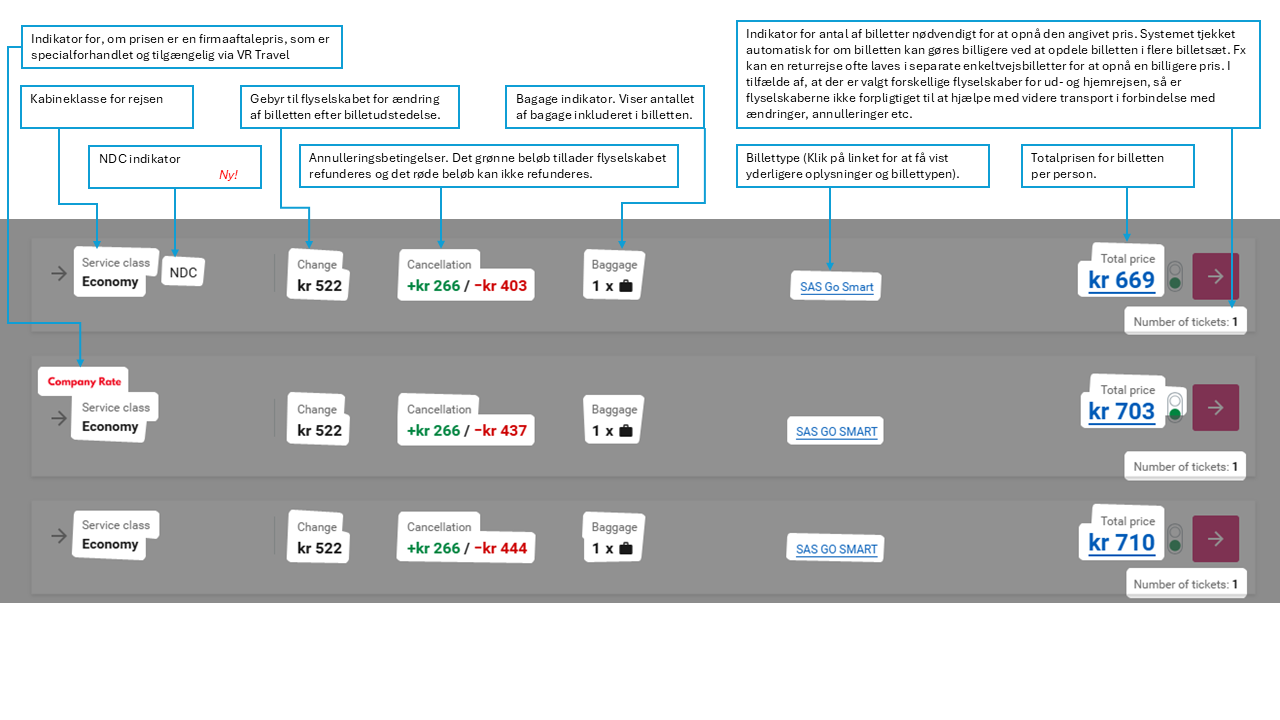
– In the booking system, NDC fares are marked with “NDC” on the Select Fare page. If you know that the reservation needs to be placed on hold, we recommend choosing a fare without this designation.
Overview of the “Select Fare” Page in Cytric
Below is a description of the different elements on the “Select Fare” page.